
Blocking on website not working?
If you are not seeing any elements blocked on the website using the Safari app, try these steps.
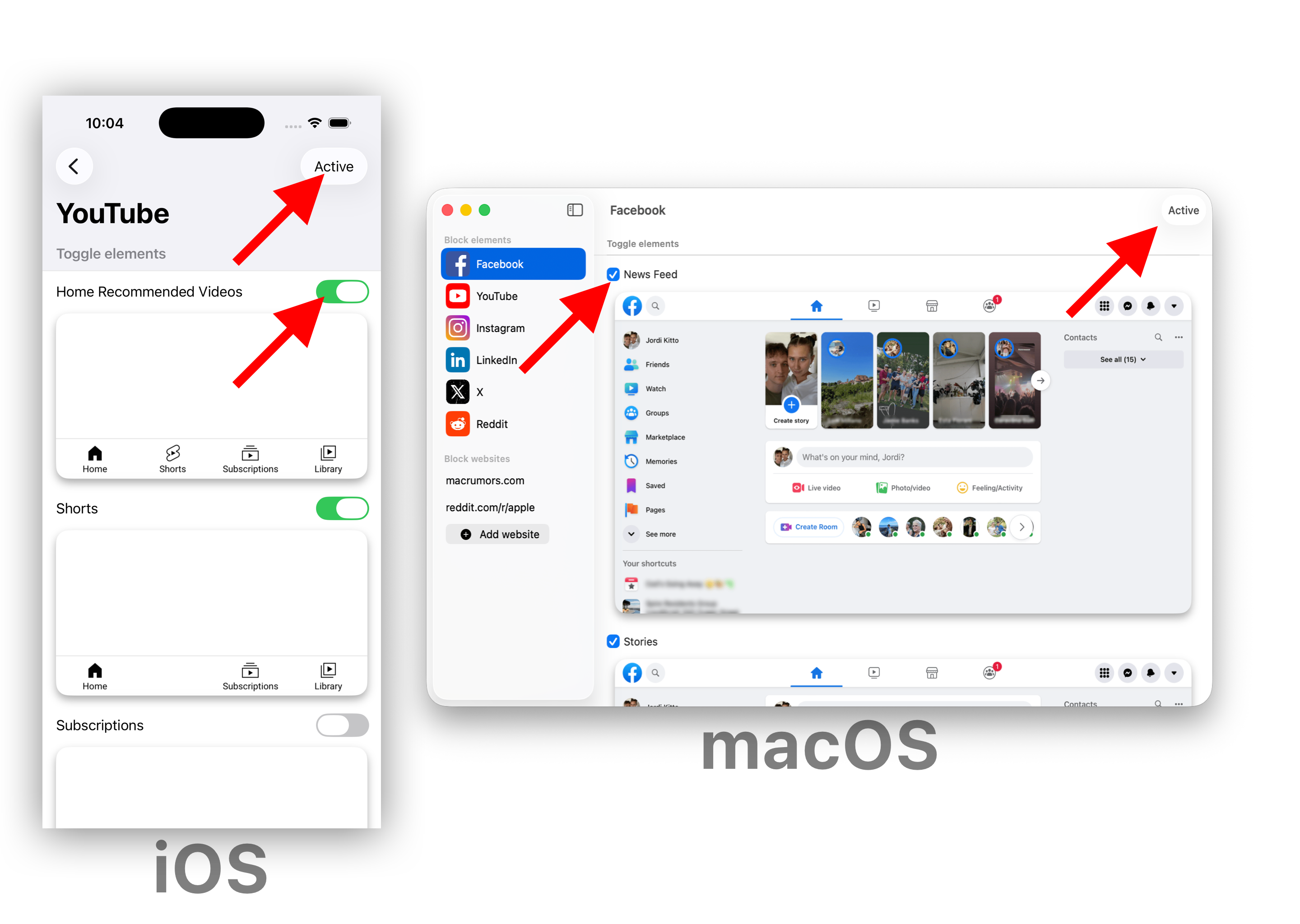
1. Ensure you have toggled the element blocking ON, and the website blocking is Active (the button in the top right should say "Active")
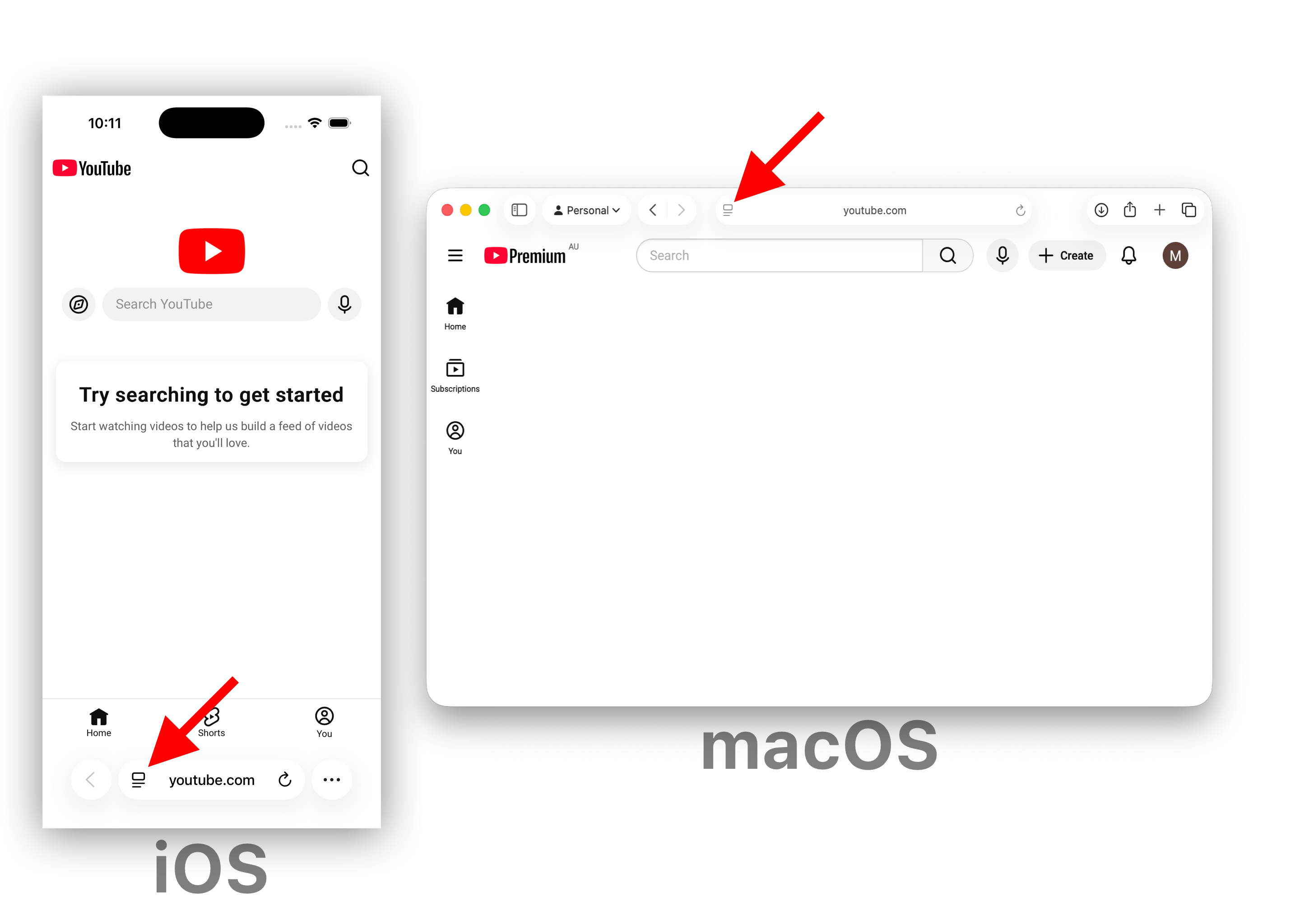
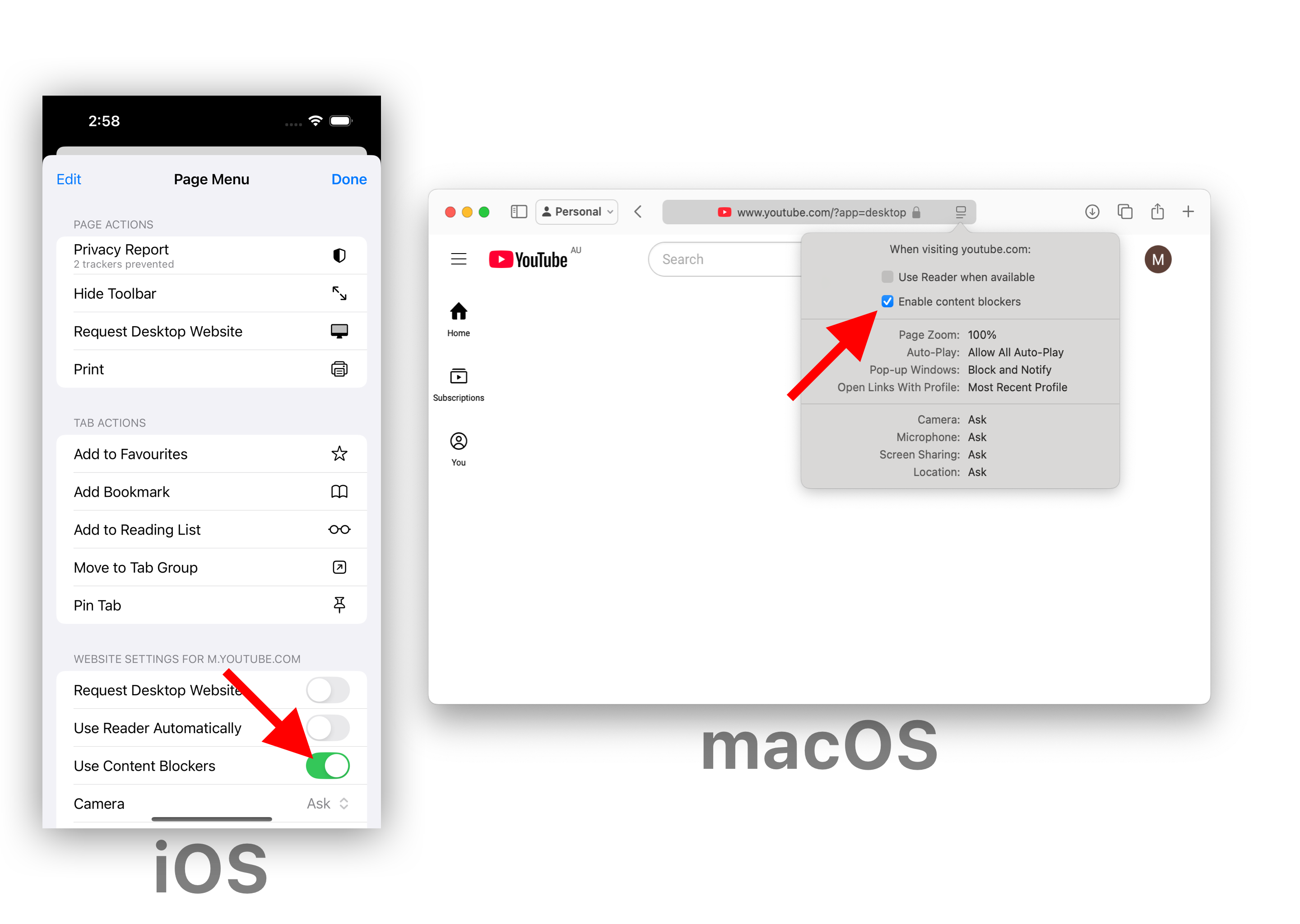
2. If still not working, open the Safari app and navigate to the website you are trying to block elements on (in this case, YouTube.com), and tap/click the indicated button
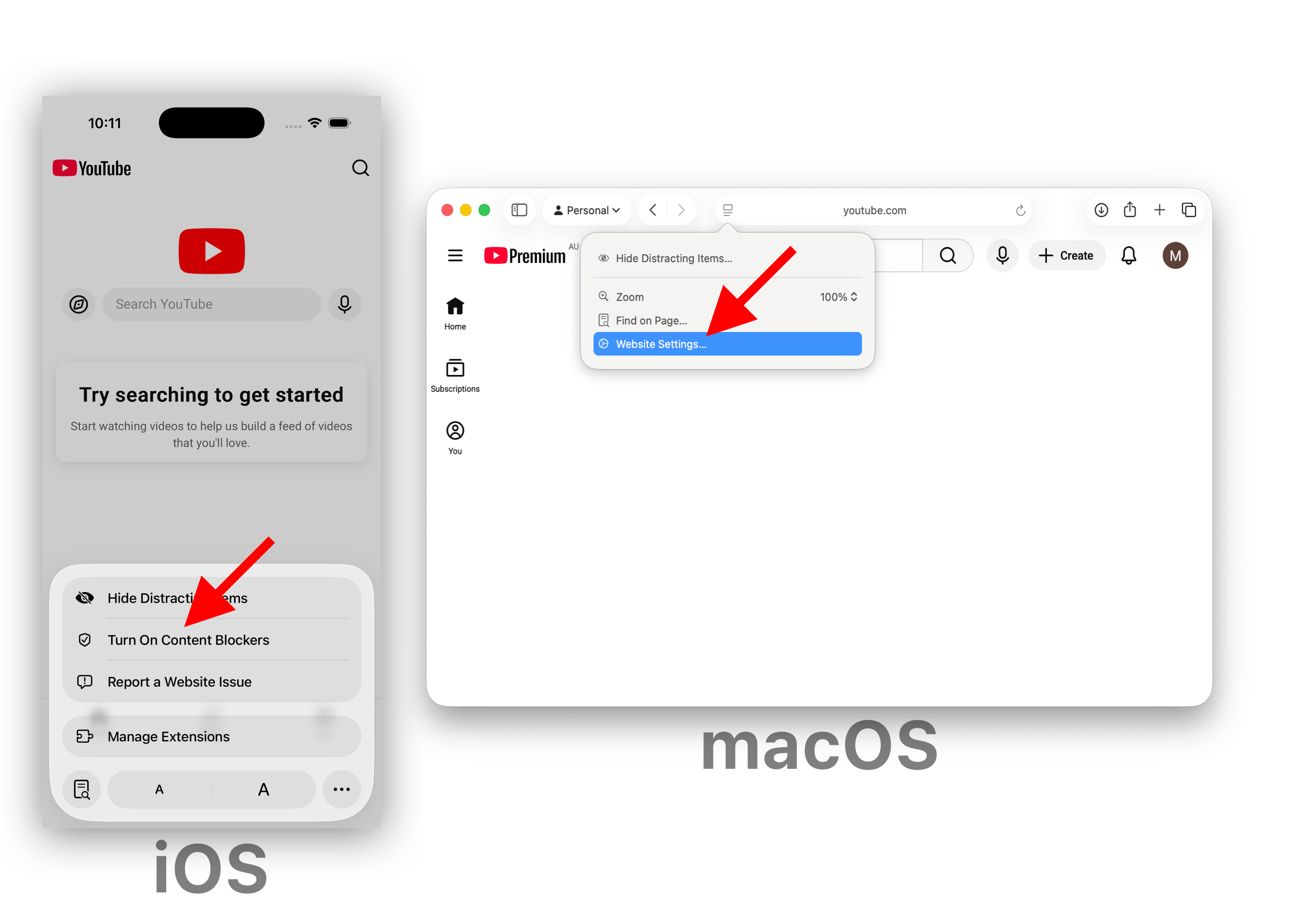
3. Then depending on your platform:
iOS: Tap "Turn On Content Blockers" (If it says "Turn Off Content Blockers", then leave it)
macOS: Click the "Website Settings..." button
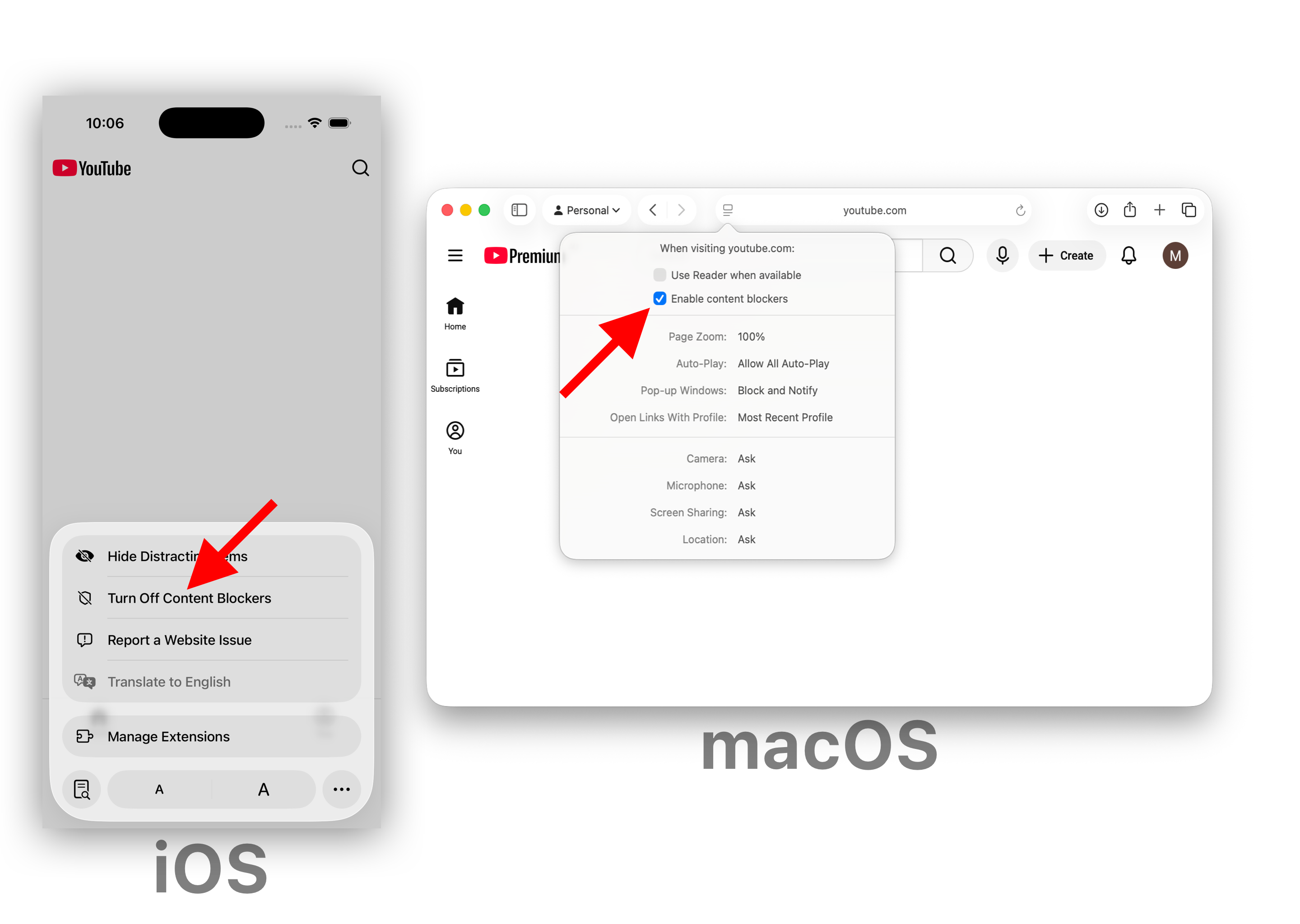
4. Ensure the following, depending on your platform:
iOS: The indicated button says "Turn Off Content Blockers"
macOS: "Enable content blockers" is ON
Then refresh the page and see if the element is now blocked.
If you are still having issues, please contact support or send us a web archive.