
I can't enable #blockit in the Settings app
For some users, they will go to enable the #blockit Safari Content Blocker and see this:
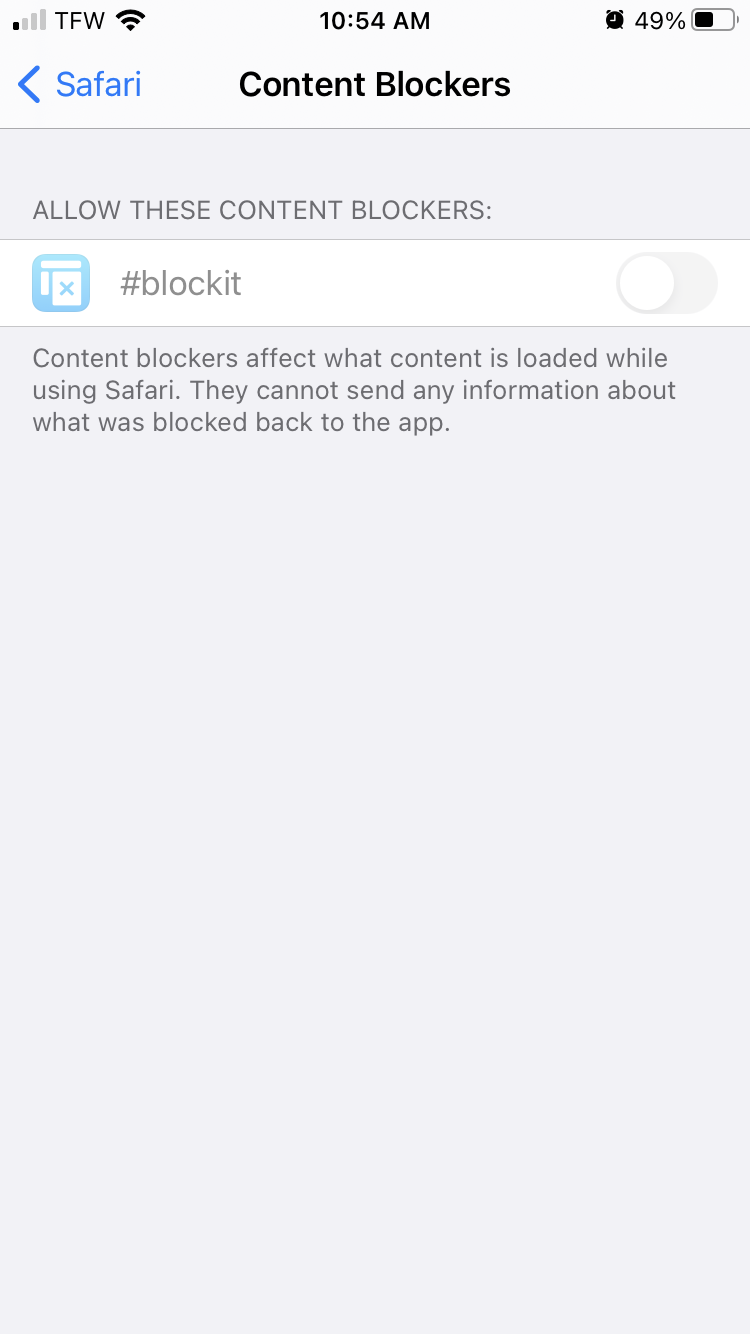
If you are seeing something similar to the above screenshot:
1. Disable Web Content Restrictions in Screen Time
Ensure that you have WEB CONTENT set to Unrestricted Access.
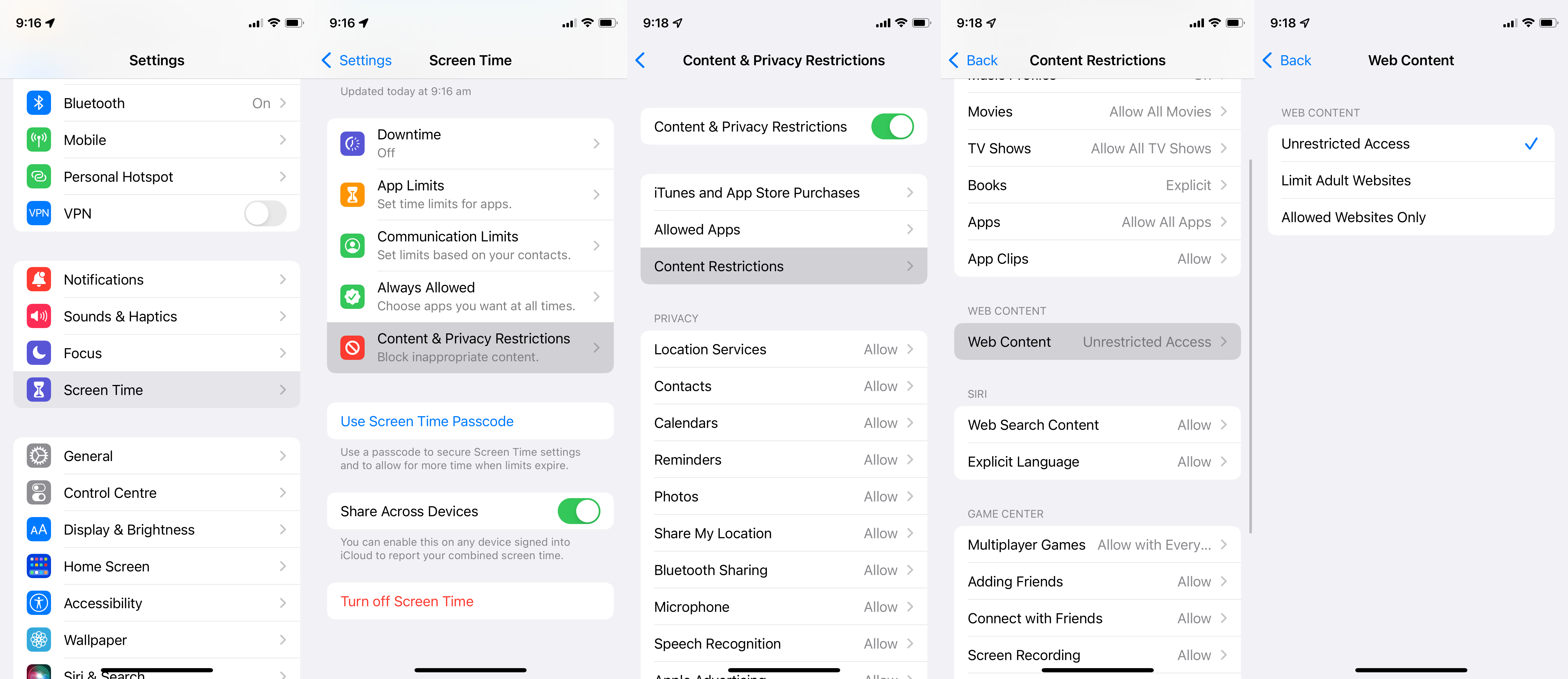 Ensure that you have WEB CONTENT set to Unrestricted Access.
This is unfortunately a restriction imposed by Apple, I'm not quite sure why this causes Safari Content Blockers to be disabled.
2. Do you have a management profile installed on your device?
This could occur if you use your Apple device for work, or were given your device by work, as usually then a management profile is installed which can modify what the device can do.